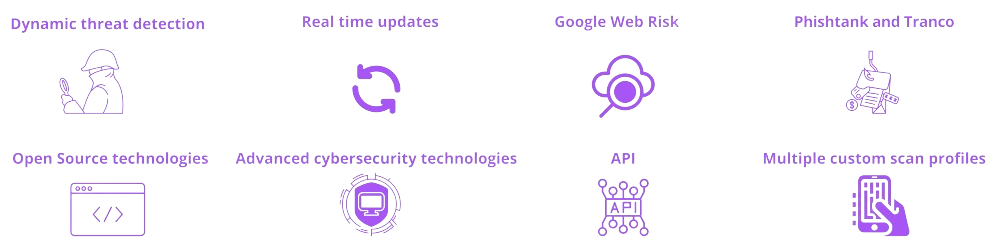
Leveraging Machine Learning for Dynamic Threat Detection
At Urlscore.ai, we are committed to harnessing the most advanced technological solutions to enhance online safety and integrity. A pivotal element of our strategy is the integration of the latest GPT API technologies into our comprehensive evaluation process. This innovative approach extends beyond analyzing screenshots for discrepancies between URLs and presented brands. We also employ GPT APIs to synthesize and interpret the outcomes of over 30 backend checks performed on each website, including analyses of domain age, traffic patterns, and more.
By feeding the results of these individual checks, along with their associated risks, into the GPT API, we can generate a nuanced summary that accurately assesses the overall safety of visiting a website. This process enables us to leverage natural language processing to understand and evaluate the collective implications of all detected issues, providing a clear and concise safety summary. Whether it’s identifying inconsistencies in website content or aggregating the findings of extensive backend evaluations, our use of GPT technology plays a crucial role in our ability to offer a detailed risk assessment.
This dual application of GPT API—to both analyze visual content for brand discrepancies and to synthesize results from comprehensive checks—positions Urlscore.ai at the forefront of URL risk evaluation. Our commitment to leveraging these innovative technologies reflects our dedication to maintaining the highest standards of digital security, offering our clients unparalleled protection as they navigate the online world.
Integrating Threat Intelligence Feeds for Real-time Updates
In addition to machine learning, URLScore.ai integrates threat intelligence feeds from reputable sources such as URLhaus, Phishtank, and Phishunt to provide users with real-time updates on emerging threats. These threat intelligence feeds aggregate data from across the internet, identifying known malicious URLs and phishing campaigns. By integrating threat intelligence feeds into its analysis pipeline, URLScore.ai can rapidly respond to emerging threats and provide users with the most up-to-date information about the security of URLs.
Harnessing the Power of Google for an advanced Risk View
In our URL assessment platform, Urlscore.ai, we integrate Google’s Web Risk API to meticulously evaluate the potential risks associated with URLs scanned by our application. This robust tool enables us to check URLs against Google’s constantly updated database of unsafe web resources, including those involved in phishing, malware, and unwanted software. By leveraging this comprehensive data, we ensure that our risk evaluations are based on the latest threat intelligence, enhancing the safety and reliability of the URLs our clients encounter.
Furthermore, we utilize Google’s web traffic analysis as a critical component of our evaluation process. Understanding that websites with minimal traffic are often more susceptible to being malicious, we analyze traffic patterns to gauge a site’s legitimacy and popularity. This analysis helps us identify outliers that, due to their low visitor numbers, may pose a higher risk to our users. Together, these integrations with Google’s services empower Urlscore.ai to provide a nuanced, data-driven assessment of URL safety, offering our clients peace of mind when navigating the web.
Using OpenPhish, Phishtank and Tranco for Enhanced Threat Intelligence
URLScore.ai uses OpenPhish, Phishtank and Tranco to enhance its threat intelligence capabilities and provide users with comprehensive insights into the security of URLs. OpenPish as well as Phishtank is an open-source threat intelligence platform that aggregates data from multiple sources to identify and analyze phishing campaigns. Tranco, on the other hand, is a ranking of web traffic that provides insights into the popularity and trustworthiness of websites.
Overview of Checks performed in Urlscore
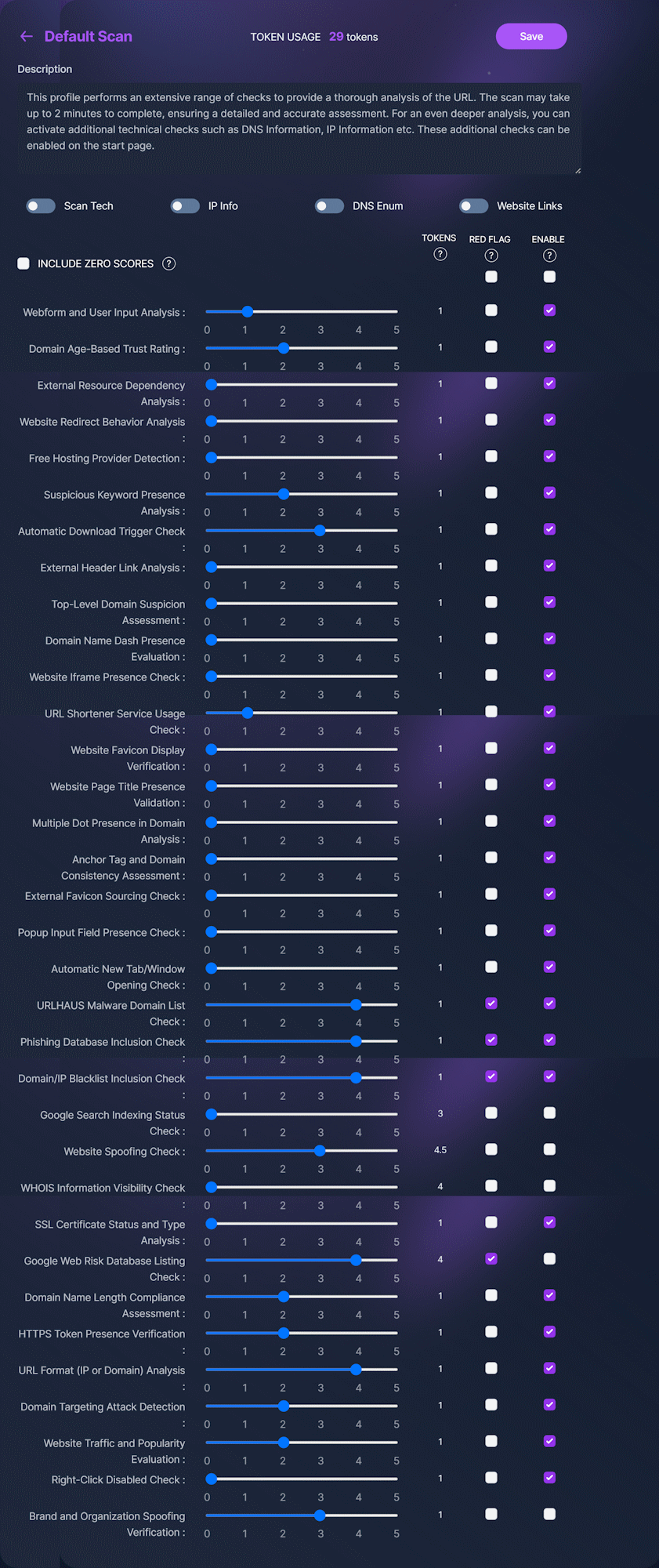
Urlscore conducts a comprehensive suite of evaluations, ranging from assessing the domain’s age to scrutinizing online databases, to determine the safety of visiting a URL. Additionally, clients have the option to activate AI-driven analyses that assess webpage content, including comparisons with recognized brands. The following is a sample of the checks we perform. Please note, this list is illustrative and not exhaustive.
| 1-Domain Analysis | |
| 🡺Question | 🡺Background Information |
| Is there a dash in the website’s domain name? | This check examines if the website’s address (domain) includes a hyphen or dash. Domains with dashes are sometimes used in phishing or scam sites. |
| Does the website use a top-level domain that might be considered unusual or risky? | Some lesser-known or unusual TLDs can be indicators of risky sites. |
| What is the total number of dots in the domain name? | This check counts the number of dots in the website’s domain name. A high number of dots can be a sign of a deceptive or malicious website. |
| Is the length of the domain name within normal DNS standards? | This check verifies if the length of the domain name is within the typical standards set for DNS (Domain Name System) entries. Abnormally long or short domain names might be suspect. |
| What is the age of the domain? | This check determines the age of the domain. Newer domains might be more likely to be used for fraudulent activities compared to older, established ones. |
| 2-Known Blacklist and Malware Databases | |
| 🡺Question | 🡺Background Information |
| Is the website’s domain flagged in the URLHAUS database for malicious activity? | This check identifies if the domain is listed in the URLHAUS database, which is a resource known for tracking malicious websites. |
| Is the domain listed in any recognized phishing databases? | This check verifies whether the domain is listed in any databases that track known phishing websites. |
| Has Google Web Risk identified the domain as risky? | This check determines if Google’s Web Risk service has flagged the domain as dangerous or potentially harmful. |
| Is the website’s IP address or domain on any blacklists? | This check finds out if the website’s IP address is included in any blacklists, indicating it may be associated with malicious activities. |
| 3-Hosting and Infrastructure Risks | |
| 🡺Question | 🡺Background Information |
| Is the website hosted on a server that provides services without charge? | This check determines if the website is hosted on a free hosting server. Free hosting services are often used by individuals or organizations that want to establish an online presence without the financial commitment of paid hosting. While there are legitimate uses for free hosting, it is also frequently used by cyber criminals. |
| Is the website secured with SSL without any noticeable issues? | This check evaluates if the website uses SSL (Secure Sockets Layer) for encryption and if there are any issues with the SSL implementation. SSL issues can be a red flag for website security. |
| Does the website have its WHOIS information concealed? | This check determines if the WHOIS information, which includes details about the domain’s owner, is hidden. While privacy is a concern, completely hidden WHOIS info can sometimes be linked to suspicious sites. |
| 4-Website History and Popularity | |
| 🡺Question | 🡺Background Information |
| Is the website well-known and receives significant traffic? | This check assesses the website’s popularity and traffic volume. Popular and high-traffic sites are generally considered more trustworthy. |
| Has Google indexed the website? | This check confirms if the website is indexed by Google. Websites not indexed might be new, less reputable. |
| 5-URL Analysis | |
| 🡺Question | 🡺Background Information |
| Is the URL shortened using a URL shortener service? | This check identifies if the URL is shortened using a service like bit.ly. Scammers often use URL shorteners to disguise malicious links. |
| Does the URL misleadingly contain the ‘HTTPS’ token? | This check looks for the presence of ‘HTTPS’ as a token in the URL, which can be a tactic to mislead users into thinking a site is secure when it is not. |
| Is the URL in the form of an IP address instead of a standard domain? | This check determines if the submitted URL is an IP address rather than a typical domain name. Websites using direct IP addresses can be suspicious. |
| Does the domain name use deceptive prefixes suggesting a domain targeting attack? | This check looks for the use of misleading prefixes in the domain name, which could indicate a domain targeting attack or attempt to impersonate another legitimate site. |
| Are there any suspicious keywords used on the website? | This check scans the website for keywords that are commonly associated with malicious or deceptive sites. |
| 6-Website Content and Behavior | |
| 🡺Question | 🡺Background Information |
| Does the website rely on external resources for content or functionality? | This check identifies if the website loads resources from external sources, which can be a method used to inject malicious content or track users or indicate that the website is spoofed. |
| Is there a form for submitting potentially sensitive data on the website? | This check determines if the website includes a form for users to submit personal or sensitive information. Such forms can be a risk if the website is not secure. Forms are also used to gather sensitive data in phishing attacks. |
| Does the website use iframes to load external content? | This check assesses whether the website uses iframes to load content from other sources. While iframes are not inherently bad, they can be used for malicious purposes. |
| Does the website initiate downloads without user consent? | This check identifies if the website automatically starts downloads without the user’s explicit permission, which is a common tactic in distributing malware. |
| Do most header links on the website redirect to other domains? | This check investigates whether most links in the website’s header lead to external domains. This can be a sign of deceptive linking practices. |
| Is there a Favicon associated with the website? | This check verifies the presence of a Favicon (the small icon in a browser tab). While its absence isn’t necessarily a bad sign, it can indicate a less professionally developed site. |
| Do the links on the website direct to a different domain than the website’s own? | This check examines if the URLs within anchor tags (links) on the website are different from the website’s domain, which can be a red flag for deceptive practices. |
| Is the webpage’s title missing or empty? | This check looks for the absence of a page title, which can be an indicator of a hastily created or potentially suspicious website. |
| Is the website’s Favicon hosted on an external site? | This check determines if the website’s Favicon is being loaded from an external source, which can sometimes be used for tracking or malicious purposes. |
| Do popups on the website contain fields for entering data? | This check identifies if popups on the website contain input fields, which can be a tactic used in phishing attacks to collect user data. |
| Does the website automatically open new tabs or windows? | This check ascertains if the website automatically opens new tabs or windows, which can be annoying for users and is sometimes used for malicious purposes. |
| Does the website redirect users to another site upon visiting? | This check evaluates if the website redirects users to a different site, which can be a sign of suspicious or malicious intent. |
| Does the website display counterfeit or imitated brand logos or names? | This check looks for the use of counterfeit or imitated branding, which is a common technique in phishing scams to gain user trust. |
Creating custom scan profiles
Urlscore.ai allows the creation of multiple custom scan profiles tailored to various needs, such as detecting spoofing attempts, phishing websites, or examining server technologies. You have the flexibility to enable or disable specific checks, customizing your risk assessment process to match your requirements.